Local transcription for Apple Silicon
A private transcript, with every speaker in view.
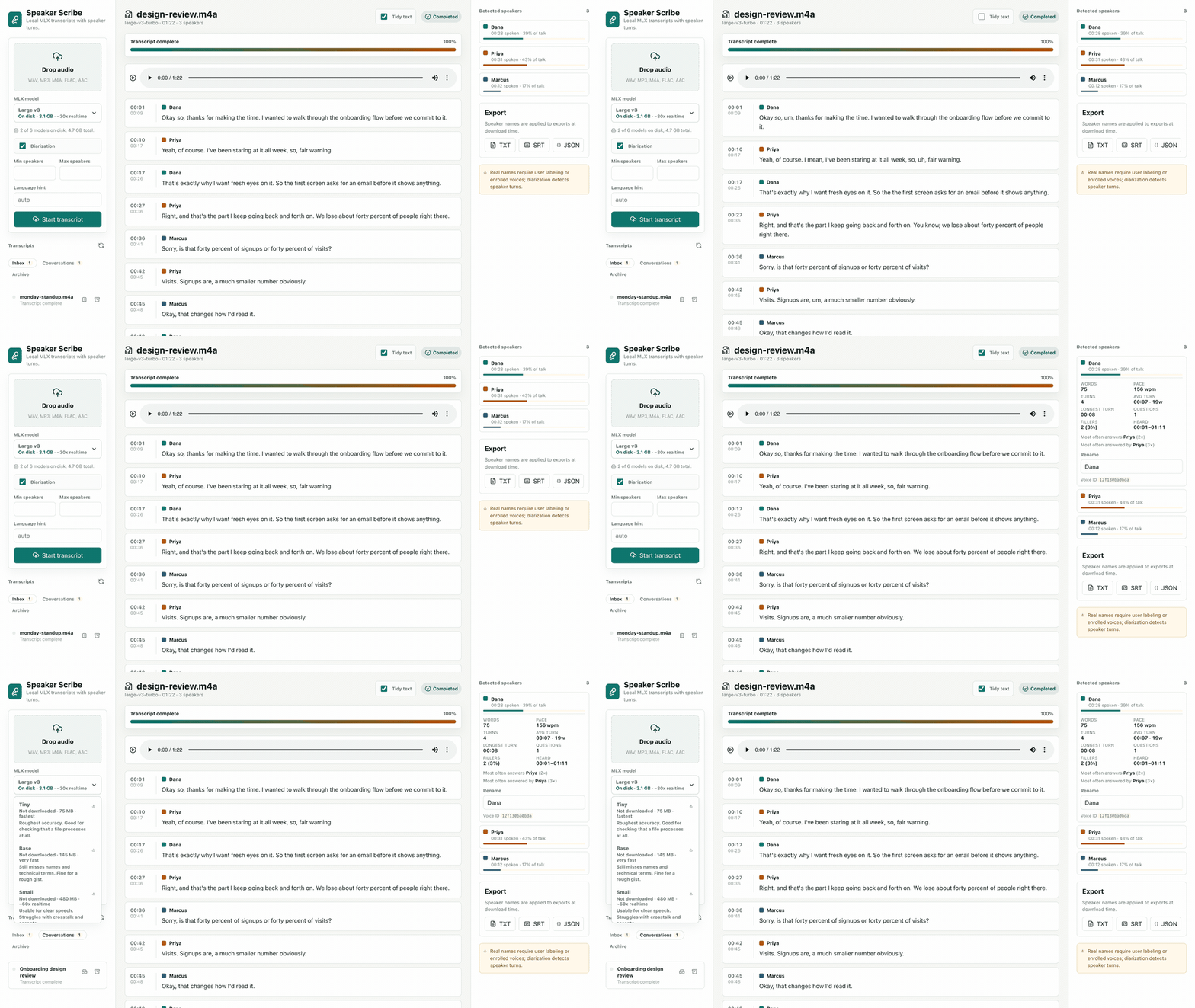
Speaker Scribe turns recordings into readable, speaker-separated transcripts. The speech stack runs on your Mac—no account, API key, or audio upload.
- Signed & notarized
- 1.05 GB
- MIT licensed
THE LOCAL PATH
Your recording never needs a round trip.
Decode, speech recognition, voice grouping, review, and export all happen on-device. Optional model files download only when you ask.
Read the exact privacy boundary →DOWNLOAD → OPEN → CHOOSE
Download once. Choose your model when it opens.
The signed app already includes Small, a practical offline default. Keep it, or choose another model from the real picker inside Speaker Scribe.
- 01
Downloadthe reviewed Apple Silicon app.
- 02
Openit with Small already available.
- 03
Choosefor speed or accuracy before transcribing.
BUILT TO BE CHECKED
It separates voices. It does not identify people.
Speaker Scribe can detect that distinct voices appear in a recording. You decide that one is Dana. It can also mishear words or split a speaker, so playback and verbatim text stay close at hand.
READY WHEN THE RECORDING IS
Your transcript belongs on your Mac.
Download the signed build. Small is ready; every other model is one in-app choice away.